

Ghost Pages: Find & Prune Dead Weight
A massive website does not equal massive authority. If you have hundreds of pages in your sitemap that Google never shows to searchers, they are diluting your overall domain entity. The Ghost Page Detector finds this invisible dead weight.
The Core Concept: Ghosts vs. Zombies
In standard Google Search Console, it is incredibly difficult to figure out what is not there. GSC only shows you data for pages that received impressions. If a page gets zero impressions, it is practically invisible in the GSC dashboard.
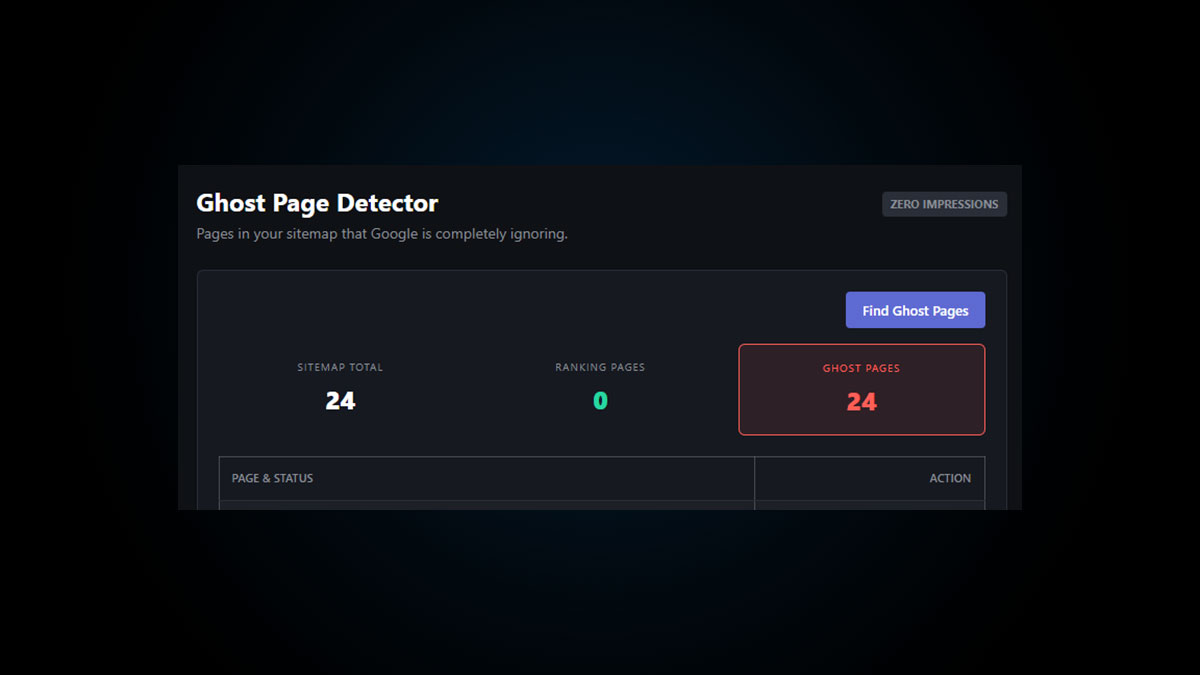
The EAP headless algorithm solves this by grabbing your live sitemap.xml and cross-referencing every single URL against the last 90 days of raw GSC impression data. It categorizes underperforming URLs into two buckets:
- Ghost Pages: URLs in your sitemap that received strictly ZERO impressions over the last 90 days. Google is completely ignoring them.
- Zombie Pages: URLs that received less than 20 impressions over 90 days. They are technically indexed, but functionally dead.
How to Run a Content Pruning Audit
Follow these steps to clean up your site architecture and consolidate your entity authority.
- Run the Detector: Navigate to the Ghost Pages tab in the EAP Cloud and click “Find Ghost Pages.”
- Review the Architecture: The tool will output three critical metrics: Your Total Sitemap URLs, the URLs actually generating impressions, and your total Ghost/Zombie count.
- Inspect the Casualties: Look at the generated list of dead URLs. You can use the “Inspect 🔍” link to open the exact URL in Google’s native inspection tool to see if it’s suffering from a technical error.
- Prune or Revive: For every Ghost Page, you must make a strategic choice:
- Revive It: If the page is important, the content is likely too thin or it lacks internal links. Add 500 words, inject Schema Pillar Pro markup, add a link to it from your Homepage, and push it through the Signal Tower.
- Prune It: If the page is outdated, thin, or useless (like an old author archive or empty category tag), either 301 redirect it to a relevant pillar page or delete it entirely (returning a 410 Gone status).
Is your crawl budget being wasted?
Find out exactly how much of your website Google is actually paying attention to.