

GBP Scheduler: Automate Local Updates
Google rewards businesses that are actively engaged with their customers. A dormant Google Business Profile (GBP) signals a dying entity. The GBP Scheduler lets you build a consistent cadence of local signals across your entire client roster from one centralized dashboard.

The Core Concept: Strategic Post Types
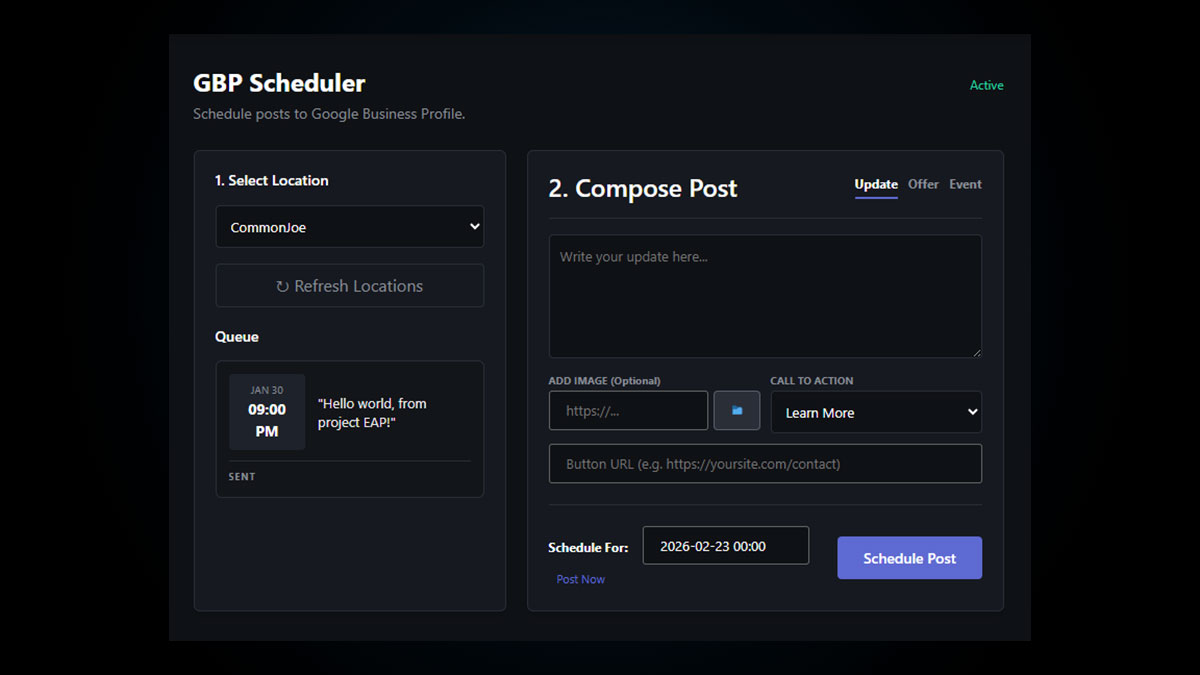
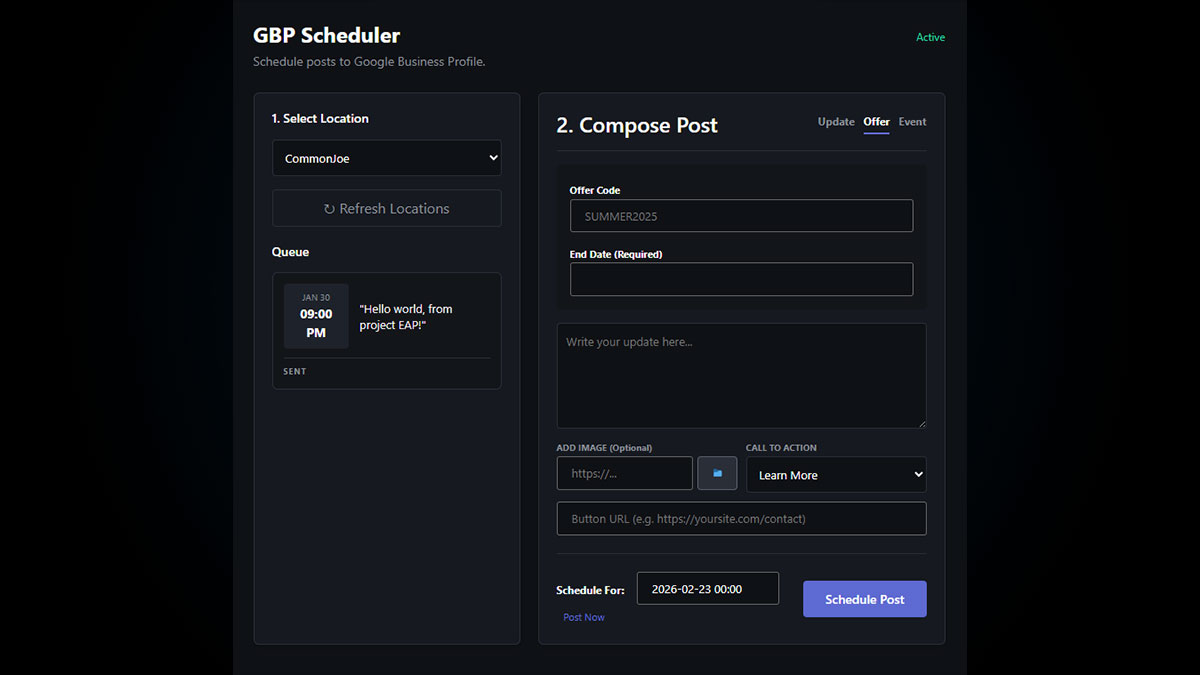
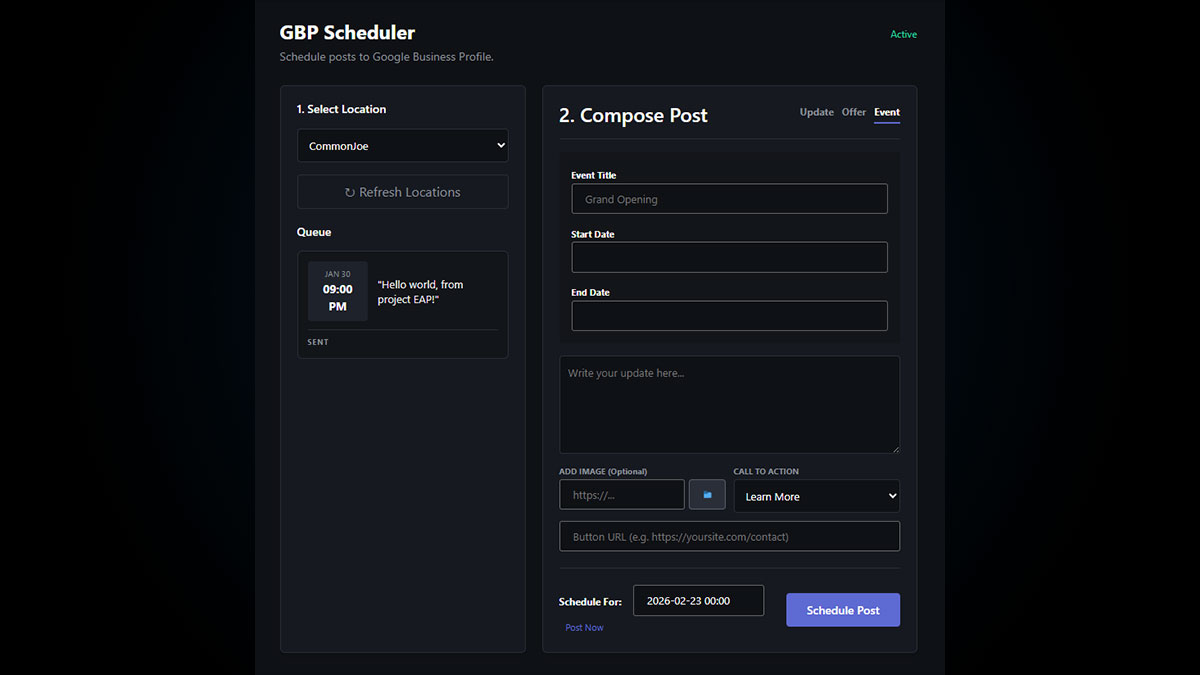
Unlike standard social media, GBP posts are directly indexed in local search results. EAP supports the three most powerful post types via the Google API:
- Standard Update: Best for general news, fresh localized content, and weekly engagement.
- Promotional Offer: Best for driving conversions. Allows you to inject coupon codes, start dates, and strict expiration times.
- Local Event: Highly visible in the Map Pack. Excellent for webinars, grand openings, or community involvement.
How to Schedule a GBP Post
Stop logging into multiple Google accounts. Manage every client’s local feed directly inside the EAP Cloud.
- Select the Location: Navigate to the GBP Scheduler in your EAP dashboard. Use the dropdown to select the specific business location. (Note: EAP automatically syncs the locations attached to your authorized OAuth account).
- Choose Post Type: In the Compose window, select the tab for Update, Offer, or Event. The system will dynamically load the required fields (like start/end dates for offers).
- Add Media & Copy: Write your post text. Click the folder icon to upload a high-quality JPG or PNG. Pro Tip: Use images that contain relevant EXIF data and avoid heavy text overlays.
- Inject a Call-to-Action (CTA): Select a button type (e.g., Learn More, Book, Order Online) and paste the destination URL. This is critical for converting Map Pack views into website traffic.
- Schedule or Post Now: Use the calendar picker to schedule the post for a future date and time, or click “Post Now” for immediate publication.
Managing the Queue
The left-hand column displays your active post queue. From here, you can review upcoming posts, click the ✏️ icon to edit the copy or timing of a pending post, or click the 🗑️ icon to delete it before it goes live.
Is your local feed going stale?
Batch your local SEO work. Schedule a month’s worth of GBP posts for your clients in under 15 minutes.